Your best moments, your way.
Playlists help you keep track of your most important clips – so you can watch, reflect, and grow faster.
Whether it’s a match-winning pass, a defensive error, or just a moment you want to study again, playlists keep your game at your fingertips.
What are playlists? #
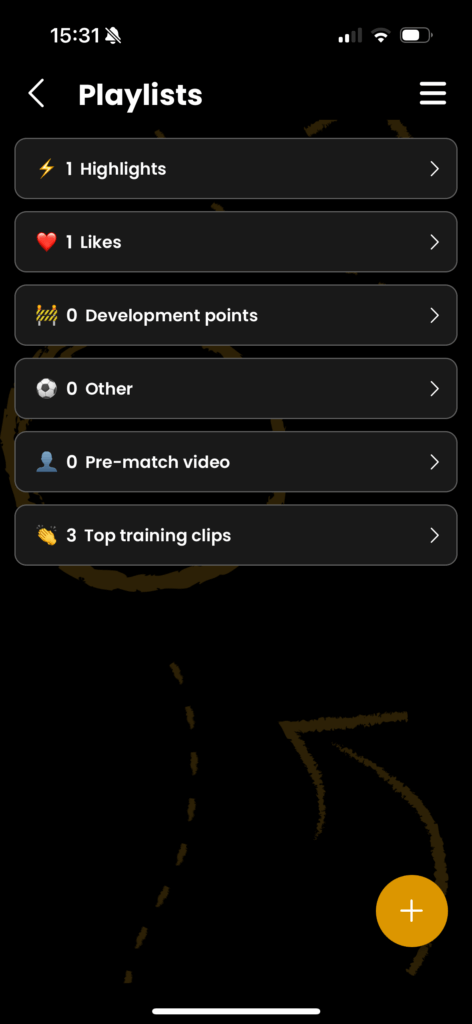
In Smart11, you can add clips to custom playlists that you create yourself. You can also use the default playlists, which include:
- Highlights – Your best in-game moments.
- Likes – Clips you liked while analyzing.
- Work in Progress – Things you want to improve.
- Other – Everything else you want to track.
You can create as many playlists as you want, and name them however you like – for example:
- “Pre-game review”
- “Top training clips”
- “1v1 defending mistakes”
- “My 10 best goals”
Clips from different matches can be added to the same playlist – so you can compare, connect, and learn.
How to create and manage playlists #
There are multiple ways to create or add to a playlist:

1. From the Playlist screen
Go to the Playlists tab (via the homescreen or main menu) to:
- Create new playlists
- View or edit existing ones
- Organize your clips
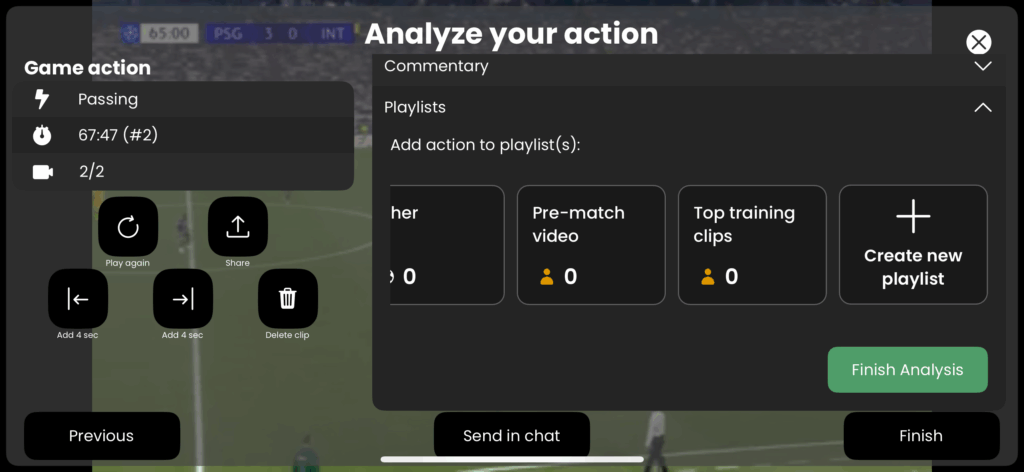
2. While analyzing a clip
When you’re watching a specific moment, tap the “Playlists” section and:
- Add the clip to an existing playlist
- Or create a new playlist instantly
This way, you never lose track of important moments – even while analyzing.
3. From your browser (desktop or mobile)
You can also manage your playlists directly at app.smart11.ai.
Just log in and open the Playlists tab to:
- Review and play all your saved clips
- Reorganize or rename playlists
- Create new ones from any device
Why use playlists? #
- Rewatch key clips before a match
- Track your technical or tactical progress
- Spot patterns and habits in your game
- Share selected clips with your coach or teammates
Smart11 gives you insight – you decide what to do with it.
Start using playlists to take control of your growth, one clip at a time.